
Understanding how to check open ports Linux is a fundamental skill for any system administrator or cybersecurity enthusiast. This crucial process helps identify which network services are running and accessible on your system. Effectively managing these ports is vital for maintaining robust network security and troubleshooting connectivity issues. Therefore, knowing the right commands and tools to check open ports on Linux is absolutely essential for safeguarding your server environment.
Introduction: The Importance of Checking Open Ports Linux
Linux systems are the backbone of countless servers and applications globally. Consequently, ensuring their security is paramount. Checking open ports on Linux allows you to monitor potential entry points for malicious actors. It also helps in verifying that only necessary services are exposed to the network, minimizing your attack surface significantly.
Furthermore, regular port auditing assists in diagnosing network problems. For instance, if a service isn’t reachable, checking its port status is often the first troubleshooting step. This proactive approach to port management ensures system integrity and optimal performance. Therefore, mastering the techniques to check open ports Linux is a non-negotiable requirement for secure operations.
Understanding Linux Ports and Network Security
Network ports are virtual endpoints that handle network connections. They are crucial for distinguishing different services running on a single IP address. When you check open ports Linux, you are essentially looking for services listening for incoming connections. This visibility is key to a strong security posture.
What are Network Ports and Why Check Them?
Each port is assigned a unique number, ranging from 0 to 65535. Common services often use well-known ports, like port 80 for HTTP or port 22 for SSH. Checking these ports helps confirm that only authorized services are active. It prevents unauthorized access and potential data breaches, which is a core aspect of cybersecurity.
Additionally, identifying open ports helps in compliance audits and ensures adherence to security policies. It provides a clear picture of your system’s network exposure. Therefore, understanding the purpose of each open port is as important as discovering its existence.
The Role of Port Security in Linux Systems
Port security is a critical component of overall Linux system security. An open port acts as a potential gateway into your system. If a port is open but not properly secured, it can be exploited. This might lead to unauthorized access, data theft, or even system compromise.
System administrators must diligently monitor and manage open ports. They should close any unnecessary ports to reduce vulnerabilities. Implementing firewalls and intrusion detection systems further enhances port security. This layered approach creates a more resilient defense against cyber threats.
Common Port States: Open, Closed, and Filtered
When you check open ports Linux, you will encounter different states. Each state indicates a specific level of accessibility and security implication. Understanding these states is vital for accurate interpretation.
- Open: The port is actively listening for connections. A service is bound to this port and ready to accept traffic.
- Closed: The port is not listening, but it is accessible. The system responds to probes, indicating no service is active.
- Filtered: A firewall or security device is blocking access to the port. No response is received from the system, making it appear inaccessible.
Knowing these states helps in assessing the security posture of your Linux machine. Furthermore, it guides decisions on which ports require further investigation or closure.
Basic-commands-to-check-open-ports-linux">Basic Commands to Check Open Ports Linux
Several command-line tools are available for checking open ports on Linux. These tools provide immediate insights into network activity. They are indispensable for quick diagnostics and security checks.
Using `netstat` for Active Connections and Listening Ports
The `netstat` (network statistics) command is a traditional utility for displaying network connections, routing tables, interface statistics, and more. It is widely used to check open ports Linux. For instance, you can see all listening TCP or UDP ports.
To view all listening ports, you can use the command `netstat -tuln`. Here, `-t` shows TCP connections, `-u` shows UDP connections, `-l` displays listening sockets, and `-n` shows numerical addresses instead of resolving hostnames. This provides a clear, concise output of active ports.
Interpreting `netstat` Output for Port Status
The output of `netstat` shows several columns, including “Proto” (protocol), “Recv-Q” (receive queue), “Send-Q” (send queue), “Local Address”, “Foreign Address”, and “State”. The “Local Address” column is particularly important. It lists the IP address and port number that your system is listening on. For example, `0.0.0.0:22` means the system is listening on port 22 (SSH) on all available network interfaces.
The “State” column indicates the connection status, such as `LISTEN` for open ports. Understanding this output allows you to quickly identify which services are actively waiting for connections. Therefore, careful interpretation is crucial for effective port management.
Limitations of `netstat` and When to Use Alternatives
While `netstat` is powerful, it has some limitations. It can be slow on systems with many connections. Additionally, it doesn’t always show the process ID (PID) or program name associated with a port without additional flags or permissions. For more detailed and efficient information, modern alternatives are often preferred. These tools provide richer data and better performance, especially in busy server environments.
Modern Tools for Linux Port Monitoring
Beyond `netstat`, newer and more powerful tools have emerged for monitoring Linux ports. These utilities offer enhanced features and improved performance. They are essential for comprehensive network oversight.
Leveraging `ss` (Socket Statistics) for Efficient Port Checks
The `ss` command is a replacement for `netstat`, offering faster and more detailed information about sockets. It retrieves data directly from the kernel space, making it more efficient. When you need to check open ports Linux quickly and comprehensively, `ss` is an excellent choice. It provides information about TCP, UDP, and raw sockets.
For example, `ss -tuln` provides similar output to `netstat -tuln` but often with better performance. It is particularly useful on systems with high network traffic. Many system administrators now prefer `ss` due to its speed and verbosity.
Identifying Listening Ports with `ss` and Its Options
The `ss` command offers numerous options to filter and display specific information. To list all listening TCP ports, you would use `ss -ltn`. For UDP ports, it’s `ss -lun`. You can also combine options to show process information. For instance, `ss -lntp` will display listening TCP ports along with the process ID and program name that opened them.
This level of detail is invaluable for security audits and troubleshooting. It helps you quickly pinpoint which application is using a specific port. Furthermore, you can identify any rogue processes listening on unexpected ports. This makes `ss` an indispensable tool for network diagnostics.
Using `lsof` to List Open Files and Network Sockets
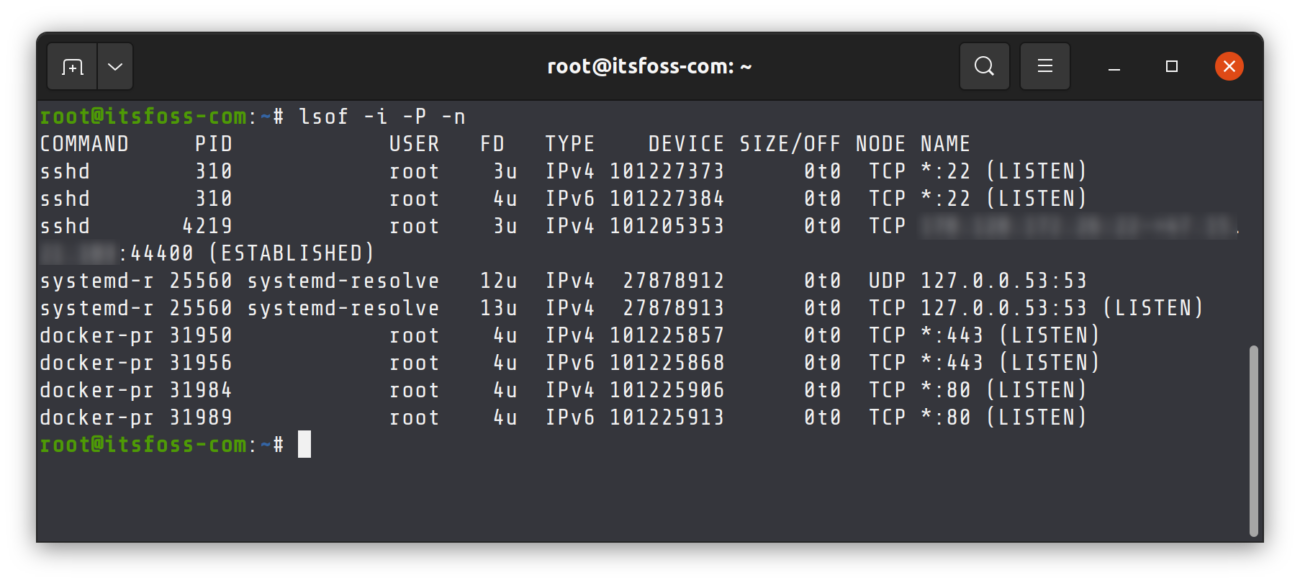
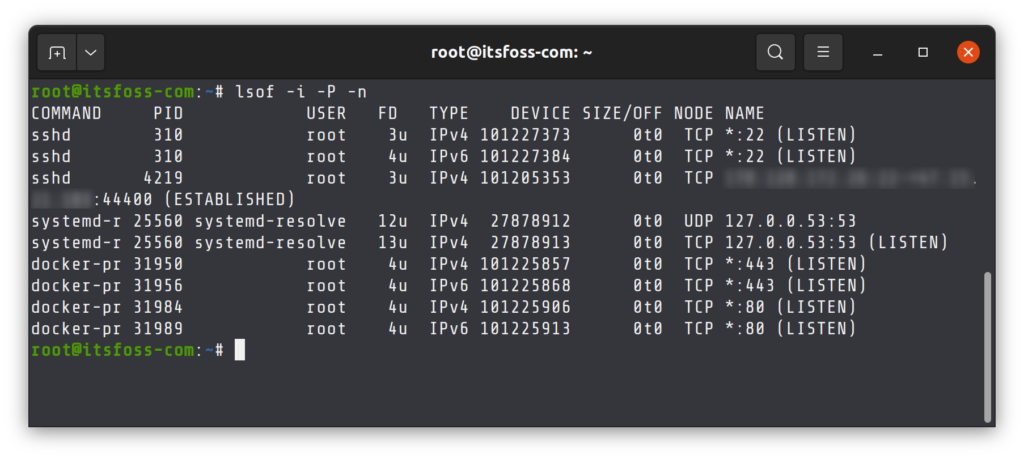
The `lsof` (list open files) command is incredibly versatile. It can list all open files, including network sockets. This means you can use `lsof` to check open ports Linux and see which processes are using them. It provides a more granular view of system resource usage.
To find processes listening on a specific port, you can use `lsof -i :`. For example, `lsof -i :80` will show all processes using port 80. This command is particularly useful for debugging when a port is unexpectedly in use. It gives direct insight into the application responsible for the open port.
Advanced Techniques: External and Internal Port Scans
While internal commands are great, sometimes you need to assess port accessibility from an external perspective. This helps understand how your system appears to the outside world. Both internal and external scans are crucial for a complete security audit.
Performing External Port Scans with `nmap` on Linux
Nmap (Network Mapper) is a powerful, open-source tool for network discovery and security auditing. It can perform external port scans to determine which ports are open on a remote host. This simulates how an attacker might view your system. To check open ports Linux from an external network, `nmap` is the go-to utility.
A basic scan can be performed with `nmap `. Nmap will then report open, closed, or filtered ports. More advanced scans can detect service versions and operating systems, providing deeper insights into potential vulnerabilities. This external perspective is critical for comprehensive security assessments.
Checking Firewall Rules (`firewall-cmd`, `ufw`) for Openings
Firewall rules dictate which ports are allowed to receive incoming connections. Even if a service is listening, a firewall can block external access. Therefore, checking firewall configurations is an integral part of understanding port accessibility. Common firewall management tools on Linux include `firewall-cmd` (for firewalld) and `ufw` (Uncomplicated Firewall).
To list active firewall rules with `firewall-cmd`, you might use `sudo firewall-cmd –list-all`. For `ufw`, the command is `sudo ufw status verbose`. These commands reveal which ports are explicitly opened or blocked by your firewall. It’s important to ensure these rules align with your intended network exposure. For more details on network security, consider checking out this Wikipedia article on Network Security.
Verifying Port Accessibility from Remote Systems
After checking internal commands and firewall rules, it’s wise to verify port accessibility from a remote system. This confirms that your configurations are working as expected. Tools like `telnet` or `nc` (netcat) can be used for this purpose. For example, `telnet ` attempts to connect to a specific port.
If the connection is successful, the port is indeed open and reachable from the remote host. If it fails, either the port is closed, or a firewall is blocking the connection. This practical test provides definitive proof of port status from an external vantage point. It helps to check open ports Linux from a real-world scenario.
Troubleshooting and Best Practices for Port Management
Managing open ports effectively is an ongoing process. It involves regular checks, prompt troubleshooting, and adherence to security best practices. This proactive approach minimizes risks and maintains system integrity.
Common Issues When You Check Open Ports Linux
When you check open ports Linux, you might encounter several common issues. A port might appear open unexpectedly, indicating a misconfigured service or even malware. Conversely, a port expected to be open might be closed, leading to service outages. Firewall rules are often the culprit in such scenarios, inadvertently blocking legitimate traffic. Furthermore, conflicting services attempting to bind to the same port can also cause problems. Always verify the process associated with an open port to understand its purpose.
Securing Your Linux System by Closing Unnecessary Ports
A fundamental security principle is to close any ports that are not absolutely necessary. Every open port represents a potential vulnerability. If a service doesn’t need to be exposed to the network, ensure its port is closed. You can achieve this by stopping the associated service or configuring your firewall to block access. Regularly review your open ports and question the necessity of each one. This practice significantly reduces your system’s attack surface and enhances overall security. for more on firewall configuration.
Regular Auditing and Monitoring of Open Ports for Security
Implementing a routine for auditing and monitoring open ports is crucial. Automated tools can help scan your system periodically and alert you to any changes. This continuous vigilance allows you to detect and respond to unauthorized port openings quickly. Regular audits help confirm that your security policies are being enforced effectively. They also ensure that no new, unapproved services have started listening on your network. This proactive monitoring is a cornerstone of robust cybersecurity.
- Perform weekly or monthly port scans.
- Review firewall logs for blocked connection attempts.
- Use intrusion detection systems to monitor network traffic.
- Keep all software and operating systems updated to patch vulnerabilities.
Frequently Asked Questions
How do I close an open port in Linux?
To close an open port, you primarily need to stop the service that is listening on that port. You can identify the service using commands like `ss -lntp` or `lsof -i :`. Once identified, stop the service using `sudo systemctl stop ` or `sudo kill `. Additionally, you can configure your firewall (e.g., `ufw deny ` or `firewall-cmd –zone=public –remove-port=/tcp –permanent`) to block access to the port, even if the service remains active.
What is the difference between TCP and UDP ports?
TCP (Transmission Control Protocol) and UDP (User Datagram Protocol) are two primary protocols used for sending data over the internet. TCP is connection-oriented, meaning it establishes a reliable connection before sending data, ensuring delivery and order. UDP is connectionless, offering faster data transmission but without guarantees of delivery or order. Therefore, TCP is used for services like web browsing (HTTP) and email, while UDP is common for streaming media and online gaming where speed is prioritized over reliability.
Can I check open ports on a remote Linux server?
Yes, you can check open ports on a remote Linux server. The most common tool for this is `nmap`. From your local machine, you can run `nmap ` to scan the remote server’s ports. Alternatively, if you have SSH access to the remote server, you can log in and use local commands like `netstat -tuln` or `ss -tuln` directly on the server to check its open ports from an internal perspective. This provides a comprehensive view of the server’s network exposure.
Conclusion: Secure Your Linux System by Checking Open Ports Regularly
Regularly checking open ports Linux is not merely a technical task; it is a critical security practice. By understanding which services are exposed and managing them diligently, you significantly enhance your system’s resilience against cyber threats. Tools like `netstat`, `ss`, `lsof`, and `nmap` provide the necessary visibility into your network’s landscape. Always remember to close unnecessary ports and maintain robust firewall rules.
Prioritize continuous monitoring and auditing to ensure your Linux environment remains secure and compliant. Your proactive efforts in port management will safeguard sensitive data and maintain operational integrity. Start implementing these practices today to secure your Linux systems effectively. Share your favorite port checking tips in the comments below!
